How to Play Need for Speed in a Browser
One flow for every title. The game pages only add what is different.
1. Pick the kind of route
Hosted pages — Underground 2, the Most Wanted web routes, and Carbon — open when you visit them. Bring-your-own-files means NFS II: you select a Special Edition folder. Work-in-progress repositories for Underground (2003) and ProStreet are not finished entrances, so they are not in the “play now” list.
2. Wait for the first load
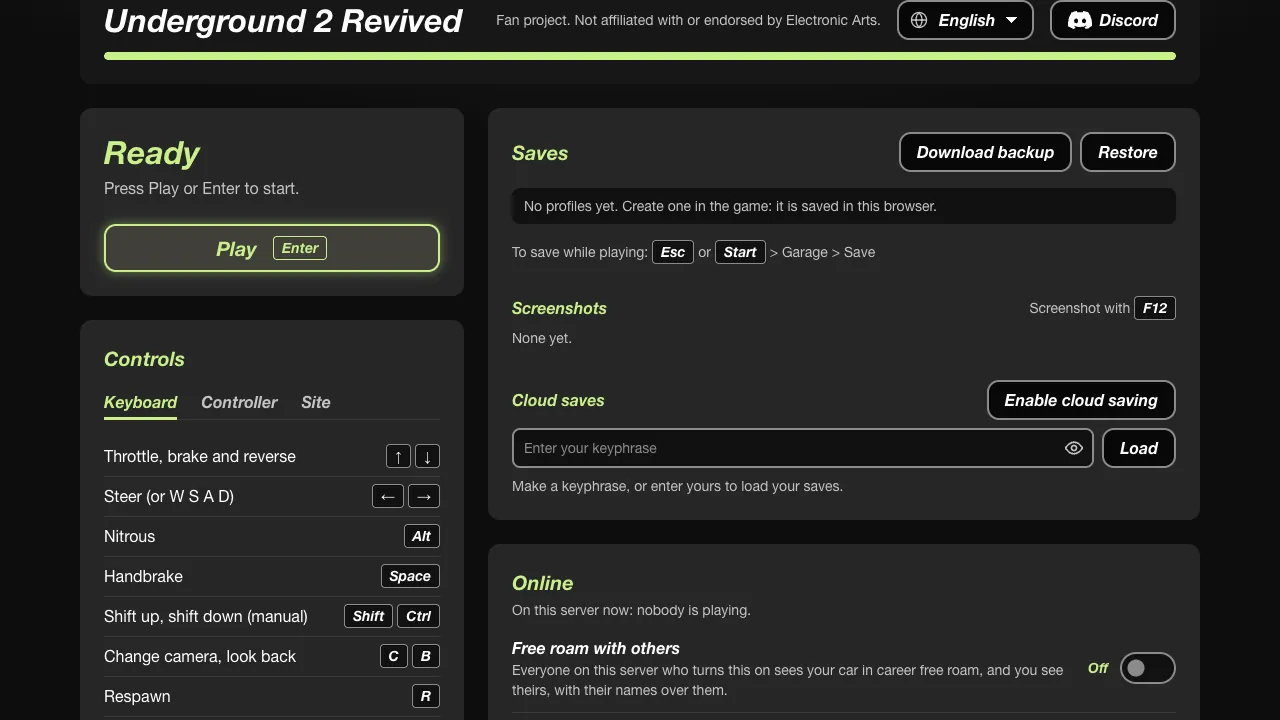
Underground 2 fetches about 7 MB of code, then data as you need it. The solo Most Wanted port caches files in the browser. MWO’s own guide says the first web session is the slow one. Carbon’s site offers an optional full download of about 5.1 GB.
3. Set controls and a save
On Underground 2, controls live under Options, and a manual save is Escape, then Garage, then Save. On the solo Most Wanted port, turn Autosave on and use Files & saves to export a copy. Clearing the site’s storage removes a save that lives only in the browser.
| Route | Open | Account | First load |
|---|---|---|---|
| Underground 2 | nfsu2.xyz, then Play | No | About 7 MB, then data on demand |
| Most Wanted solo | dezm0n itch page, Run game, Start game | No | Cached as you play |
| Most Wanted races | web.nfsmwo.com | Yes | First session is slower |
| Most Wanted career online | nfsmwonline.com | Yes | Web or their launcher |
| Carbon | nfscrb.xyz, then Play | No | Optional 5.1 GB full set |
| NFS II | NFS2WEB, choose your folder | No | Read from your disk |

Questions
Do I need an account?
Not for nfsu2.xyz, the dezm0n solo port, nfscrb.xyz, or NFS2WEB. NFSMW Online and MWO ask you to sign in on their own sites.
What about a Chromebook?
I do not have a published test of these ports on a Chromebook, so I am not marking any of them as supported there.
Related
- Requirements — WebGPU, memory, and phones
- Fixes — Black screen and low frame rate
Sources
- nfsu2.xyz · checked 2026-11-03
- dezm0n itch.io · checked 2026-11-03
- MWO how to play · checked 2026-11-03